 evomedia.net
evo.ablecamera · alpha
The camera isn't the hard part. Its controls are.
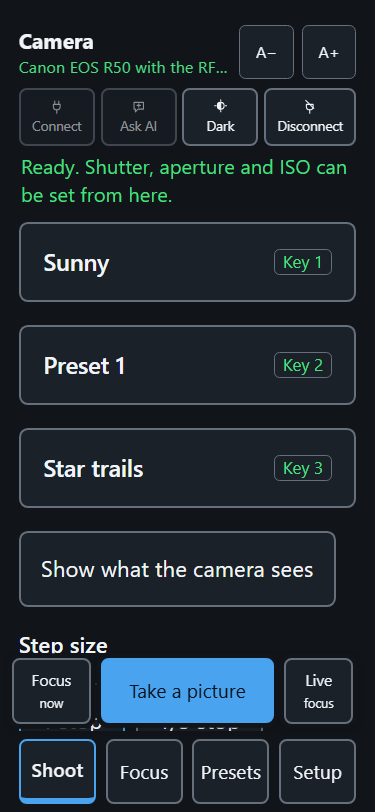
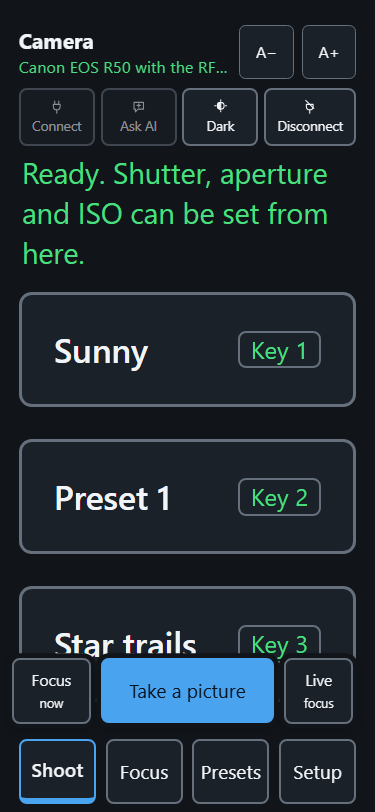
Cameras put their settings behind small buttons, nested menus and drag-to-set dials. If limited hand movement, a physical disability or low vision makes those hard to work, the photograph was never the problem — the camera was. evo.ablecamera drives a Canon EOS from a phone, a tablet or a PC: big buttons that say what they do, one key per control, and every press answered in words.
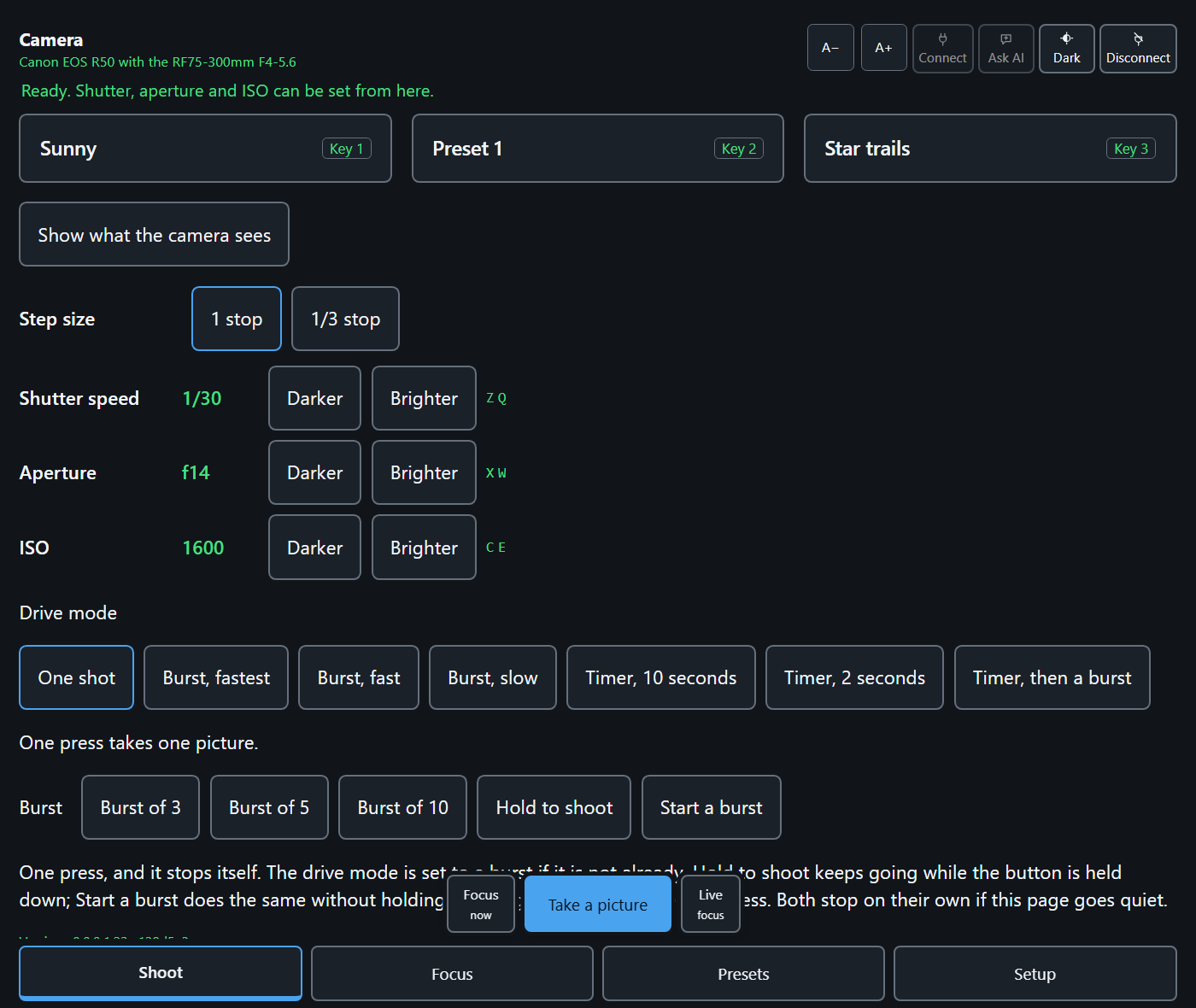
Canon's own apps go further still: press-and-hold gestures, and tap targets a few millimetres across. Miss any one of them and the camera is not partly usable — it is not usable. This page has no gesture anywhere in it that needs precision or a sustained hold. It can be driven end to end by keyboard, switch, voice control or dwell input, it works in a screen reader, and it works with scripting switched off.
It is built by someone who needs it. The first user's own camera is an EOS R50 he has trouble operating, and the measure of the project is whether he can take the photograph he wants without reaching for the body.
Who it is for
If you have a physical disability
If holding a camera steady, working a dial, or hitting a small target is difficult or impossible — everything here is a large button with words in it, a single key, or both. Nothing needs a steady hand, a sustained hold, or two things at once.
If you have a vision impairment
Every control says what it is in words, every press is answered aloud through a live region, and one setting scales the type, the targets and the gaps between them together. The level and the histogram are said — “Right side 2 degrees low”, “Dark, about 2 stops under” — rather than left as a shape to interpret. Dark, light and following the device are all offered.
If you are new to cameras
The buttons say Darker and Brighter rather than 1/250 and f/5.6, presets are called Star trails and Sunset rather than a row of numbers, and a new install arrives with real setups to press and learn from. When something cannot be done it says so in a sentence you can act on, instead of failing quietly.
What is on the page
- Presets. Save the camera as it is now under a name, and put it back with one press or one key. Star trails, Sunset, Indoors, no flash and more come with a new install.
- The three dials in words. Shutter speed, aperture and ISO each step Darker or Brighter, by a full stop or a third, and the page says what changed and by how much.
- What the camera sees. Live view on the page, with its own smaller and bigger, and a picture you can press to focus on that spot.
- Focus without the shutter. Focus now, step the lens closer or further, check focus at full size, and turn on peaking with a score that is read out.
- The level and the histogram, said aloud. Switched on once while the tripod goes up, then read to you as sentences.
- Drive modes and bursts. One shot, timers, and bursts you press rather than hold.
- One key per control. Every control on the page has a single key, and the list is on the page.
- It says what it did. Every press is answered in words — and when the camera refuses, it says why and what to do instead.
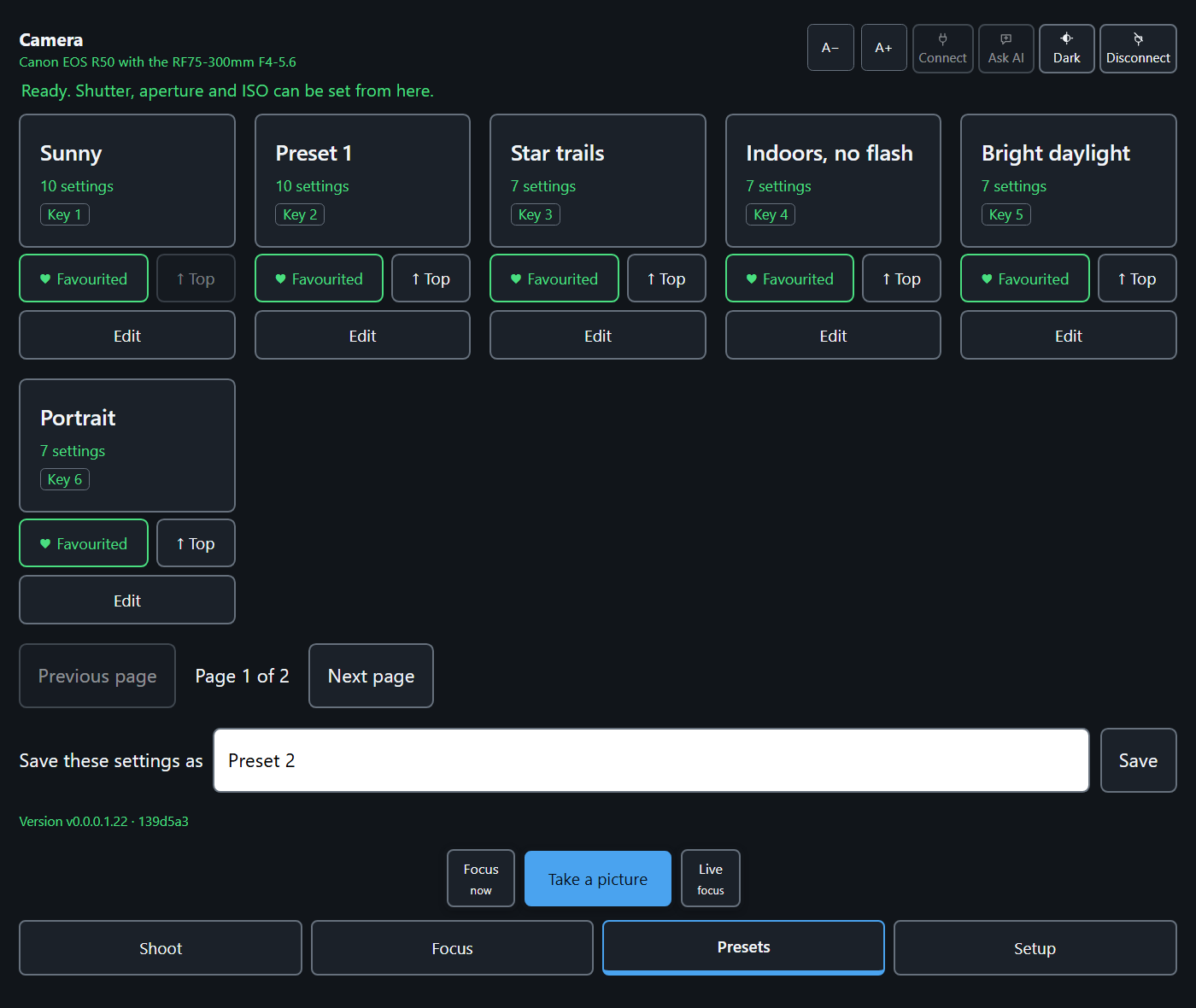
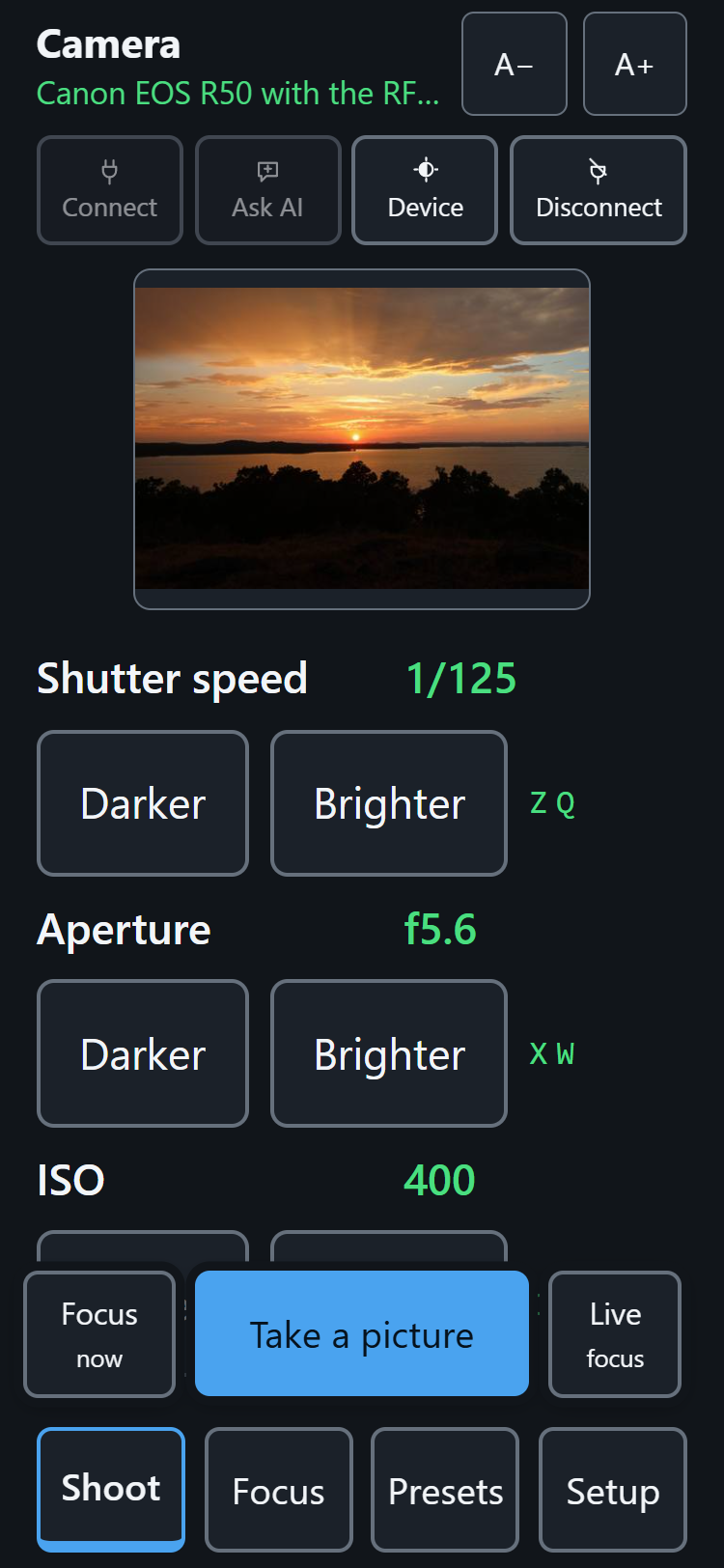
Photo taken by Kelly Michels
How it works
A small program runs on a PC or a Raspberry Pi beside the camera and serves a web page. You open that page on a phone, a tablet, or the PC itself. It talks to the camera over Wi-Fi using Canon's own Camera Control API, so nothing is installed on the camera — and everything it changes there, such as auto power off and the mode dial, it changes back when you finish.
What you need
- A Canon EOS body with the Camera Control API, switched on once in the camera's menu. Built and tested on the EOS R50. The EOS R100 is supported, with its mode dial and focus mode set on the body.
- A PC or a Raspberry Pi to run the program on. It is written in Python with no other dependencies, so there is nothing else to install.
- A phone, tablet or browser on the same Wi-Fi as the camera to open the page from.
There is nothing to install yet. The app runs today on the author's own camera, and the demo above is the same page driving a stand-in camera — but the code is not public, so the list above is what it needs rather than something you can go and set up. If you photograph and you want to use it, say so: knowing who is waiting is what decides the order this gets done in.
Where it is
Alpha, and in development. It is built for one person first and being made worth other people's time as it goes. Everything on this page describes what the app does today; nothing here is a promise about later.
If you photograph and this is for you, get in touch — the constraints in it are measured rather than imagined, and that only stays true with more than one person measuring.